
Liveness Detection
Confirm a real person is present.
Use active, passive, or adaptive liveness methods to detect presentation attacks and add proof of presence to an identity workflow.
- Part of a guest compliance session
- Hosted, API, and webhooks
- Configured human review
How it works
Liveness in four steps
The experience stays short while the decision logic remains configurable.
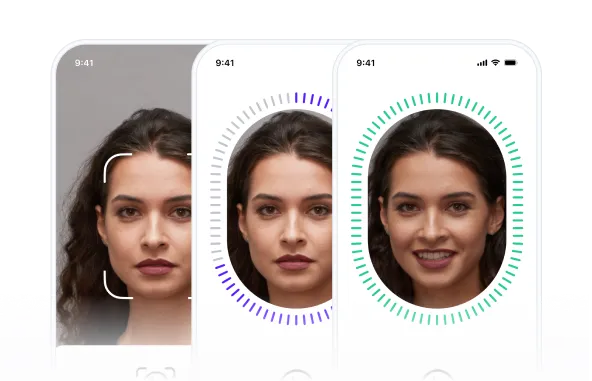
Prepare the user
Clear on-screen guidance helps the user position their face, remove obstructions, and improve capture quality.

Capture a selfie video
The browser or application records a short passive or guided active capture.

Analyze presentation signals
The liveness process evaluates configured indicators associated with replays, masks, deepfakes, and stream injection.

Return a result
The session can pass, fail, retry, or continue to Face Match or review according to workflow rules.

Proof of presence
A selfie is useful only when the capture is genuine
Replay videos, printed images, masks, deepfakes, and injected streams can imitate a real user. Liveness adds a configurable real-presence check before a verification decision.

Low-friction proof of presence
Users complete liveness with a quick capture and no prompts. Advanced analysis evaluates facial and capture signals to support a smooth baseline presence check.
- High-volume onboarding
- Low and medium-risk users
- Conversion-first experiences

Higher assurance with guided prompts

Smart balance between speed and assurance
Agentic control plane
Automation operates inside defined authority.
The control plane defines what may happen, the execution plane records what happened for this booking, and the evidence plane preserves the resulting audit record.
Control plane
What agents may do
Workflow profiles, schemas, thresholds, permissions, and human-review gates define agent authority.
- Govern
- Map
- Measure
- Manage
Execution plane
What happened for this booking
Configured agents request data, guide retries, run checks, route exceptions, and trigger approved next actions.
- Actions
- States
- Reason codes
- Review gates
Evidence plane
What can be reviewed later
Booking linkage, timestamps, decision history, integrity references, and export manifests form the audit record.
- Audit events
- Hashes
- Retention
- Export manifest
Agents resolve routine gaps within fixed schemas and configured policies. They do not overwrite core identity data or approve policy exceptions without an authorized human decision.
Spoofing methods
Defend against modern spoofing with modern solutions

Deepfakes and face swaps
Analyzes pixel consistency and video-stream hardware signals to detect injection attacks.

Pre-recorded videos
Detects two-dimensional surfaces and screen glare, including on high-resolution secondary displays.

Printed photos
Uses depth and texture analysis to distinguish printed artifacts from a live human face.

Silicone and 3D masks
Analyzes skin texture and light scattering to identify artificial materials.
Capabilities
Balance assurance and completion
Apply the liveness mode that matches each part of the customer journey.
Discuss your workflow- 01Active prompts
- 02Passive capture
- 03Adaptive step-up
- 04Replay and screen-presentation checks
- 05Stream-injection defenses
- 06Configured manual review
Use cases
Where liveness fits
- Remote guest verification
- Self check-in
- High-risk booking step-up
- Face comparison workflows
- Repeat guest verification
- Manual-review escalation
Security and privacy
Controlled by design, documented in public.
Every module uses the same access, output, audit, and retention boundaries as the wider guest compliance workflow.
Minimum necessary output
Operators receive the approved status and fields rather than unrestricted document copies by default.
Booking-linked history
Configured consent, status, access, and review events remain tied to the relevant session.
Controlled retention
Access and retention rules are configured for the customer's workflow and applicable obligations.
FAQ
Frequently asked questions
Key implementation and workflow questions for liveness detection.
Configure your flow
See Liveness Detection inside a DocinVault workflow
We will map the module to your customer journey, operating market, and review requirements.