
Live Video Review
Escalate selected cases to guided human review.
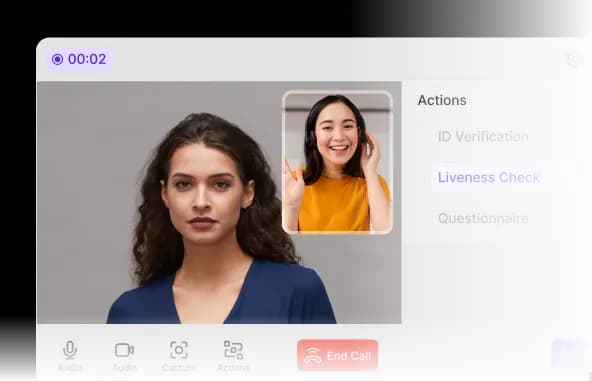
Run live video verification sessions with approved agents, configurable interview steps, document checks, and a reviewable session record.
- Part of a guest compliance session
- Hosted, API, and webhooks
- Configured human review
Human-assisted verification
Add an approved reviewer where automation needs human judgment
Video KYC combines a live conversation with configured identity, questionnaire, document, and evidence-capture steps in one controlled session.
Guided interviews
Give agents a consistent sequence of prompts, checks, and decision fields for each workflow.
Connected verification data
Keep identity documents, questionnaire answers, screening context, and session evidence tied to the same case.
Configurable participation
Support one-to-one or approved multi-participant sessions when the customer process requires them.
How it works
How Video KYC works
Prepare the case, conduct the live session, and retain a clear decision trail.
Create the session
Trigger Video KYC from onboarding, a risk rule, or an authorized reviewer and send the secure session invitation.
Review the case context
The agent receives the configured identity, document, questionnaire, or screening information required for the interview.
Conduct the guided call
The agent follows the approved prompts, document checks, and evidence-capture requirements.
Record the decision
The authorized outcome and configured session evidence return to the case and downstream workflow.
Capabilities
A structured live-verification workspace
Give agents the information and controls they need without separating the call from the KYC case.
Discuss your workflow- 01Single-participant sessions
- 02Multi-participant sessions
- 03Agent scripts and checklists
- 04Document and questionnaire context
- 05Decision recording
- 06Audit-oriented session history
Use cases
Where Video KYC fits
- Complex guest cases
- High-risk reservation review
- Document mismatch resolution
- Corporate guest verification
- Remote manual verification
- Regulatory exception handling
Security and privacy
Controlled by design, documented in public.
Every module uses the same access, output, audit, and retention boundaries as the wider guest compliance workflow.
Minimum necessary output
Operators receive the approved status and fields rather than unrestricted document copies by default.
Booking-linked history
Configured consent, status, access, and review events remain tied to the relevant session.
Controlled retention
Access and retention rules are configured for the customer's workflow and applicable obligations.
FAQ
Frequently asked questions
Key implementation and workflow questions for live video review.
Configure your flow
See Live Video Review inside a DocinVault workflow
We will map the module to your customer journey, operating market, and review requirements.